Alfa Laval
Control System Design
Context
Project Overview
In fall 2024, Alfa Laval set out to replace an off the shelf control system with an new HMI, aiming for full ownership of their product in the oil refining industry. As UX consultant, I partnered with system engineer and product manager to study operator workflows, map interaction flows and identify tasks best supported by physical controls for speed and precision.
The result was a streamlined, task-focused UI that improved operating performance by 30%, enabling faster navigation and easier access to critical functions delivered within tight time and cost constraints.
Scope of work
UX/UI Design
Interaction Design
Year
2024 - 2025
My Focus Areas
UX and UI Design
Tactile Interaction Design /Functional Mapping
Problem
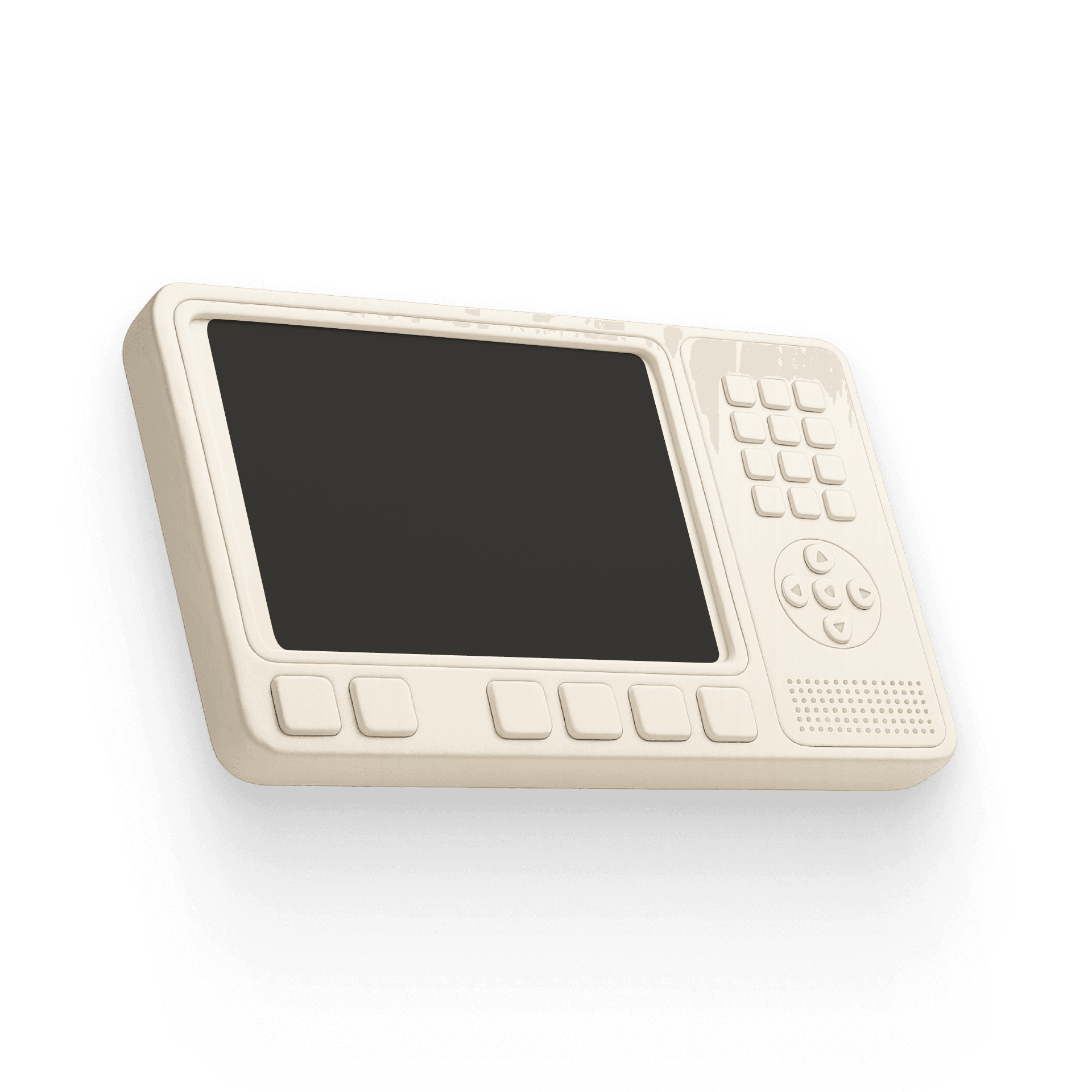
Touchscreens don't work with gloves. The existing HMI relied entirely on touch which meant every alarm response, every numeric input, every critical navigation step was fighting against real working conditions. The system wasn't designed for the people using it.
Solution
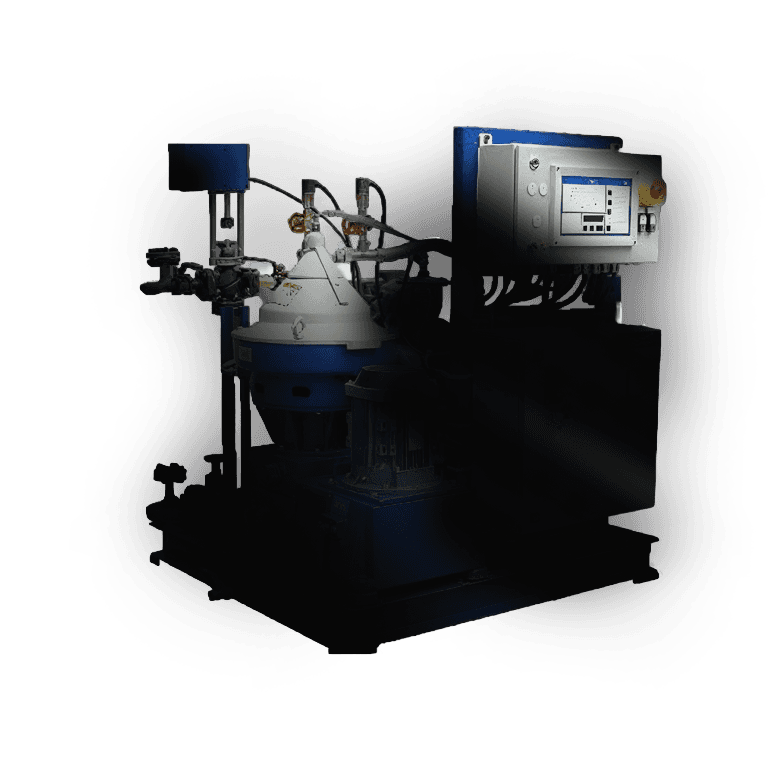
Operators complete critical tasks 30% faster. A task-focused HMI combining physical controls with a simplified digital UI designed for speed, reliability and real-world plant conditions.
01
Physical Controls
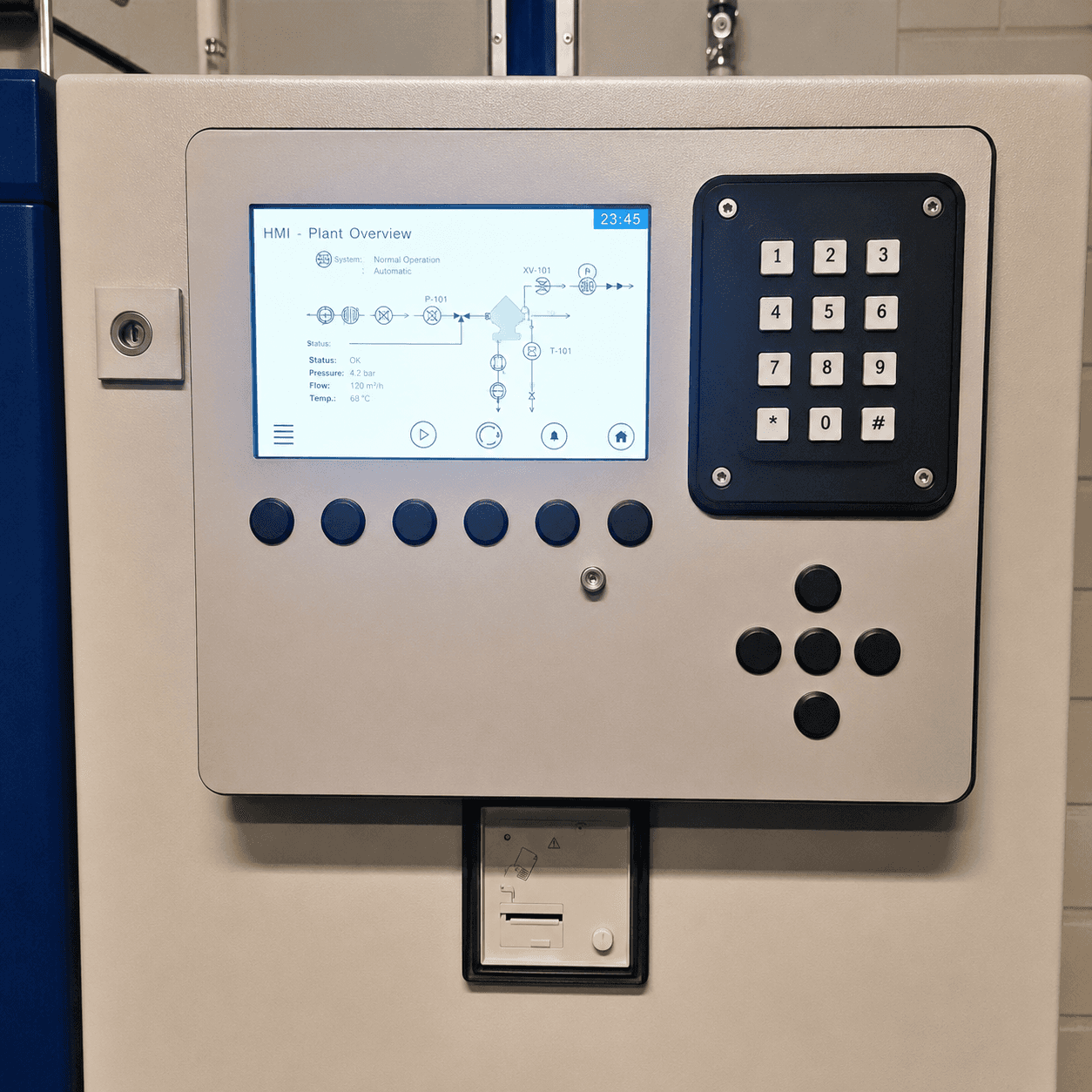
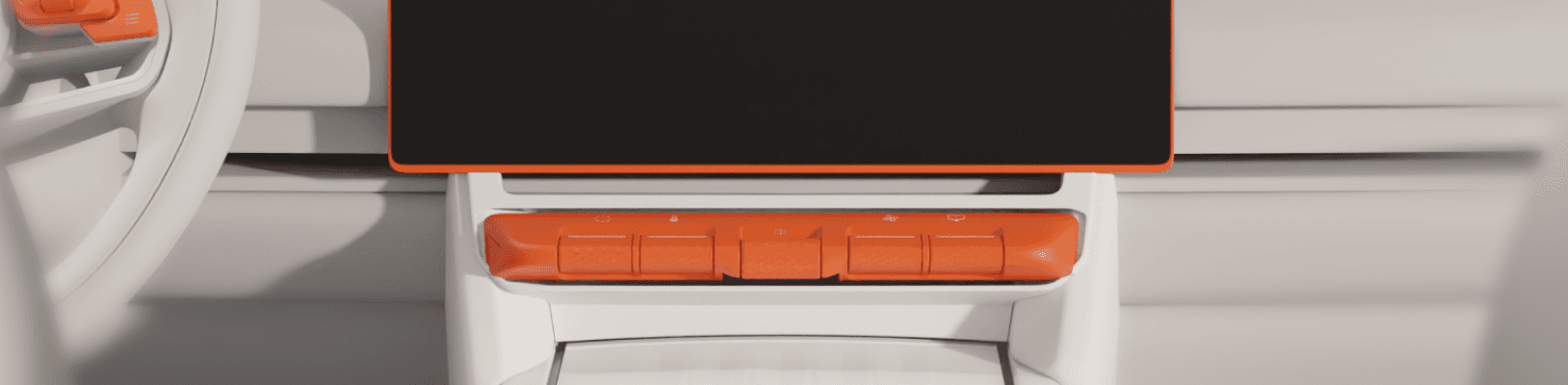
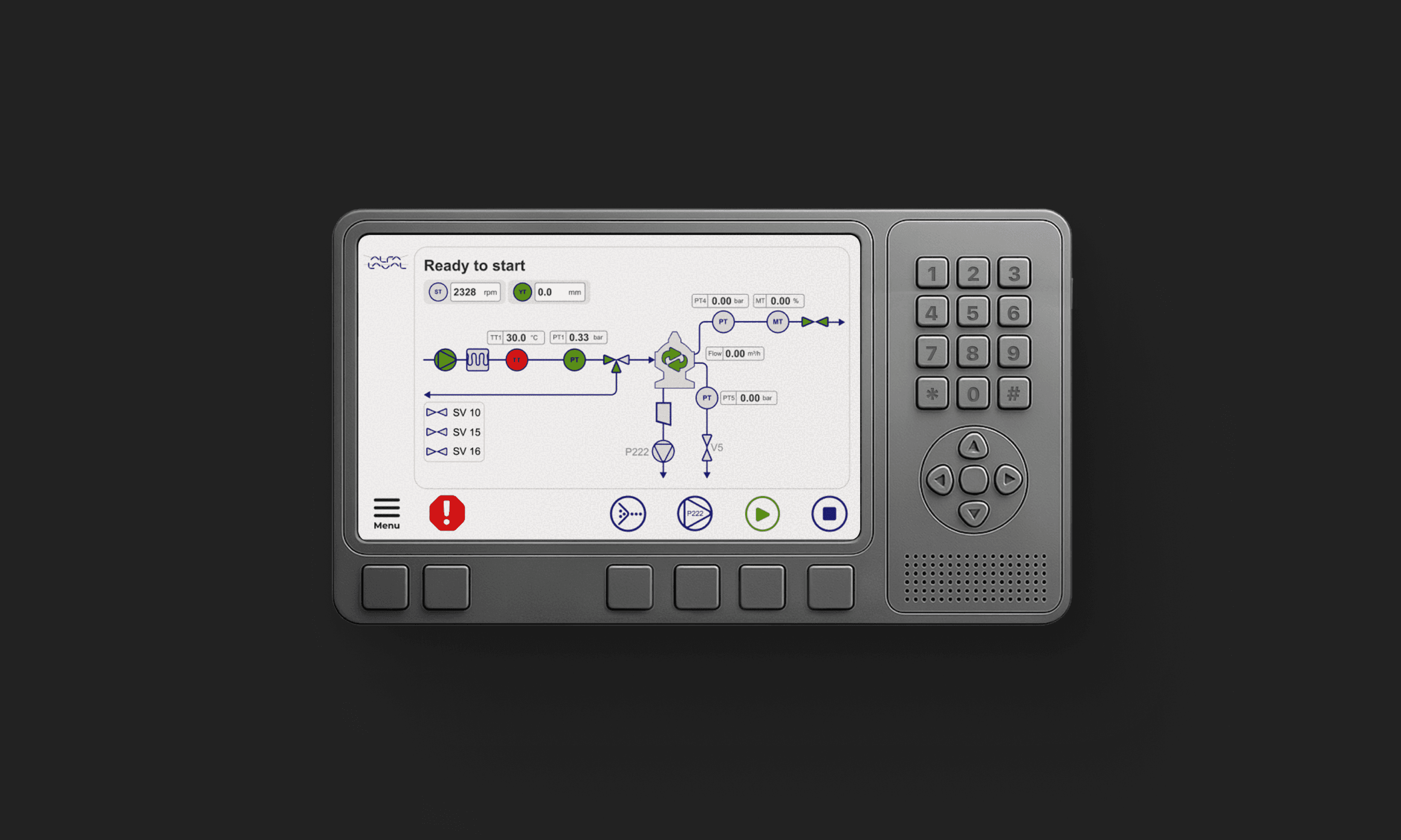
Adding Physical controls put critical functions within immediate reach with no extra steps. Programmable buttons adapt to context, a numeric keypad replaces slow steppers with direct value entry, and a D-pad keeps navigation reliable with gloved hands.
Numpad + D-pad
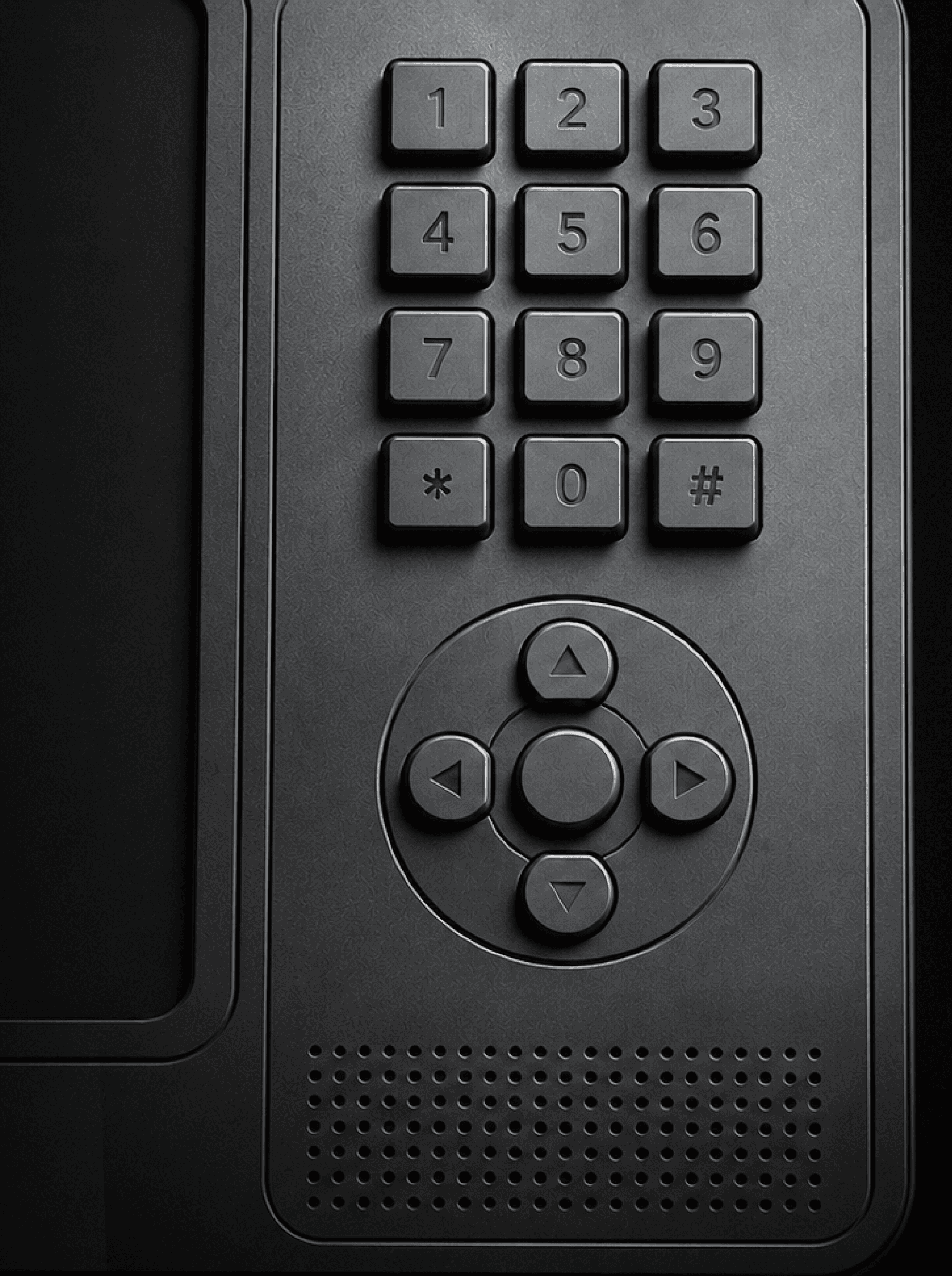
*Concept render developed with GPT + Vizcom, refined in photoshop
Fixed + Contextual Buttons
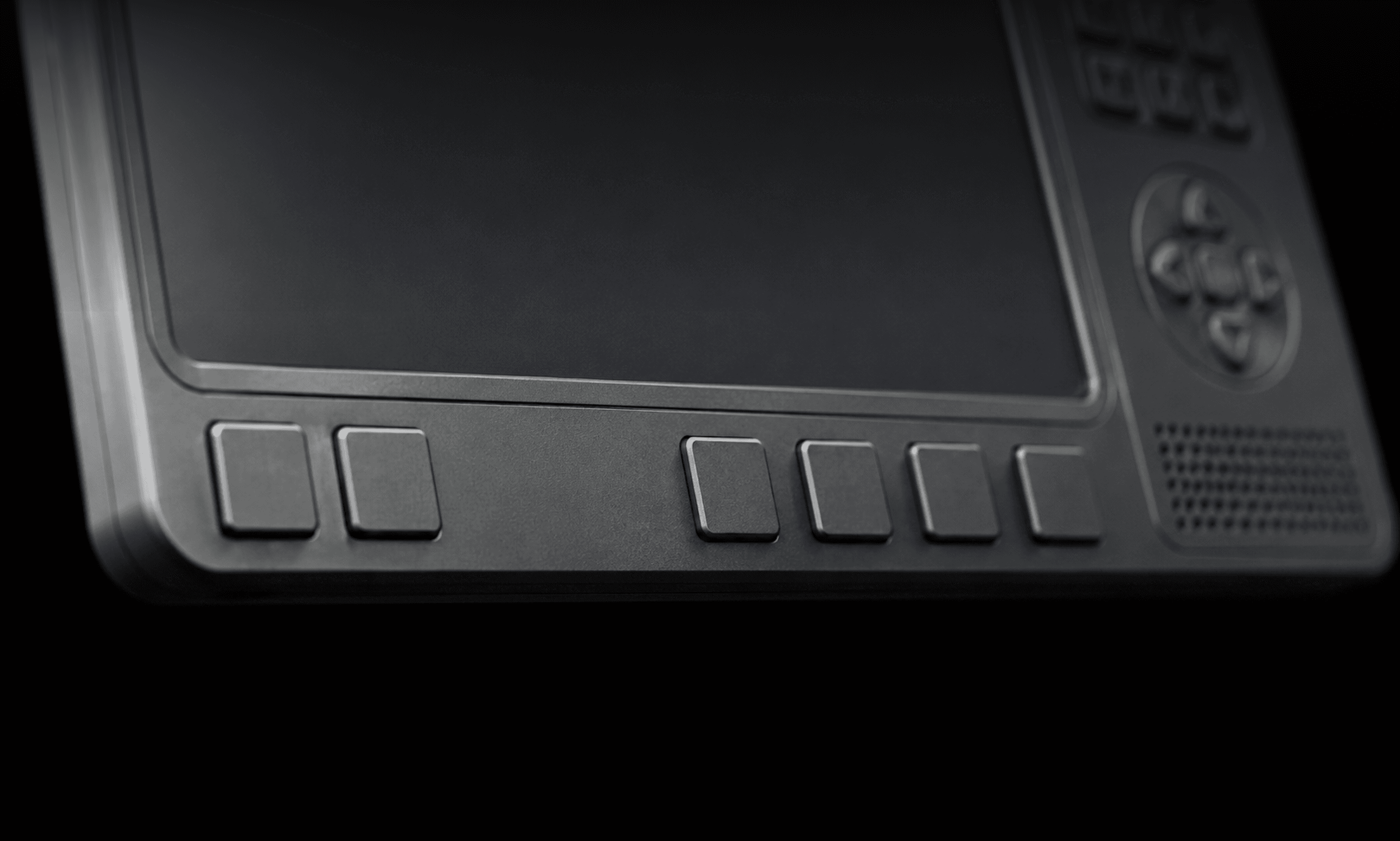
*Concept render developed with GPT+Vizcom, refined in photoshop
02
UI Design
My Approach
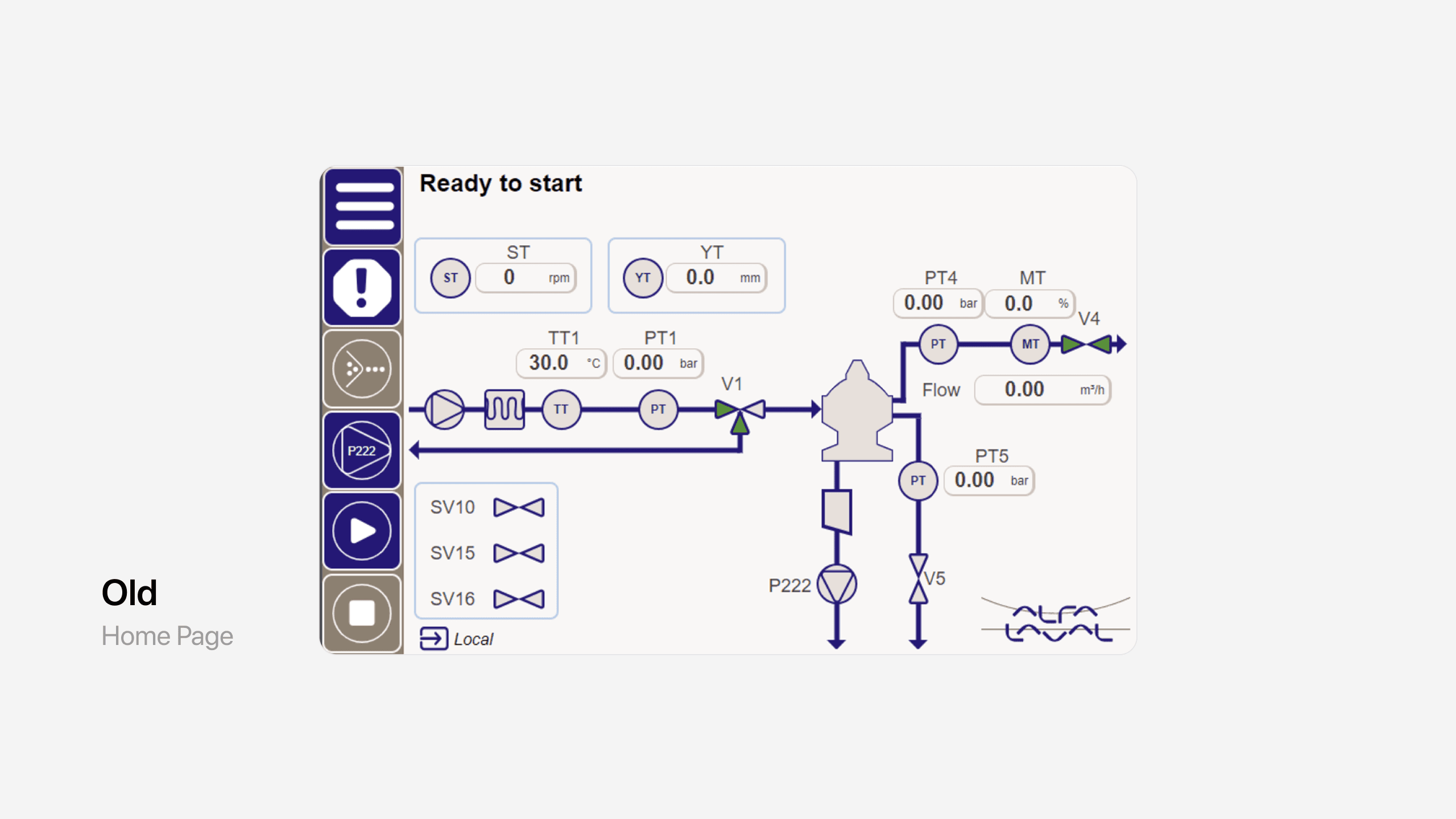
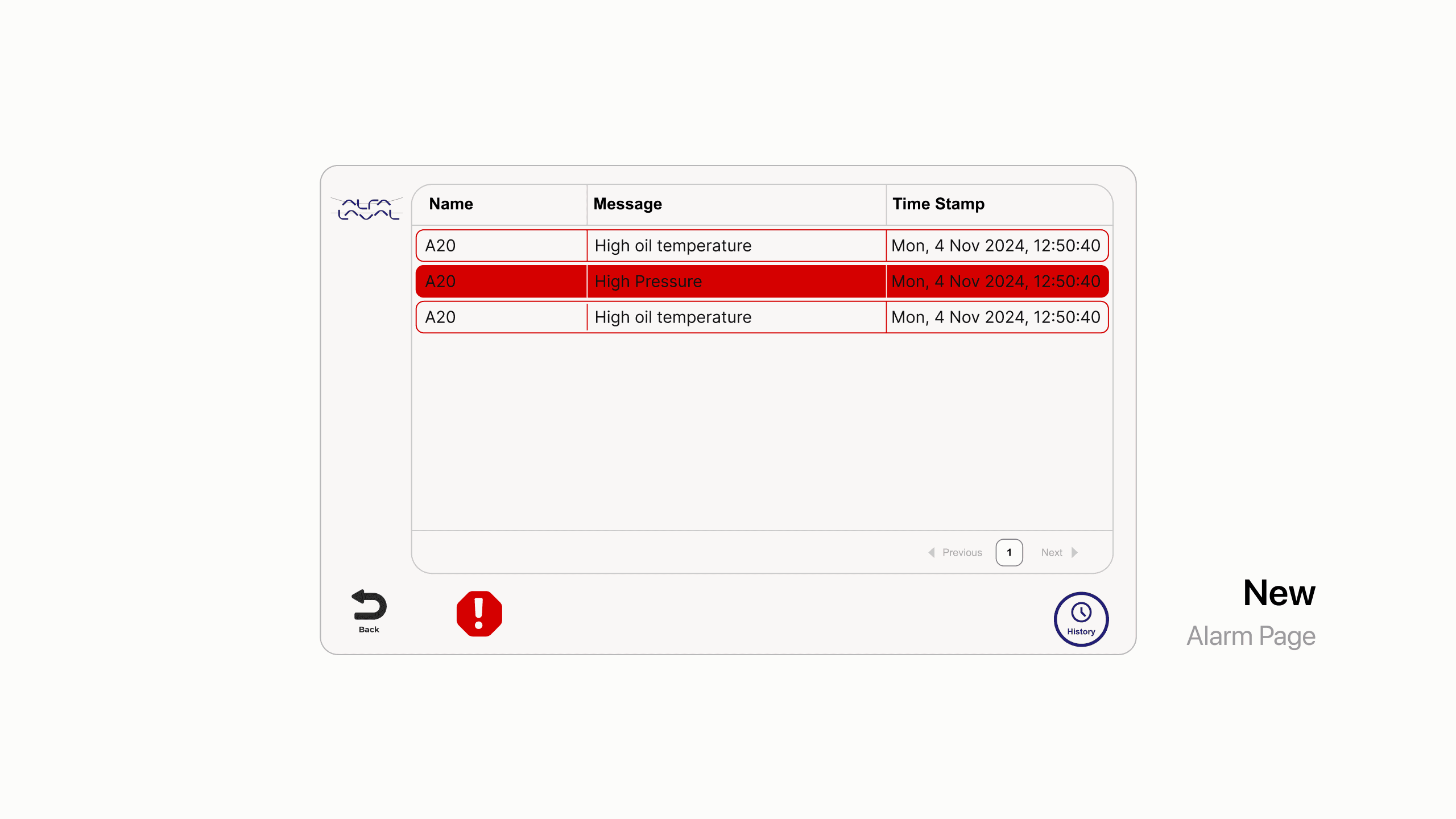
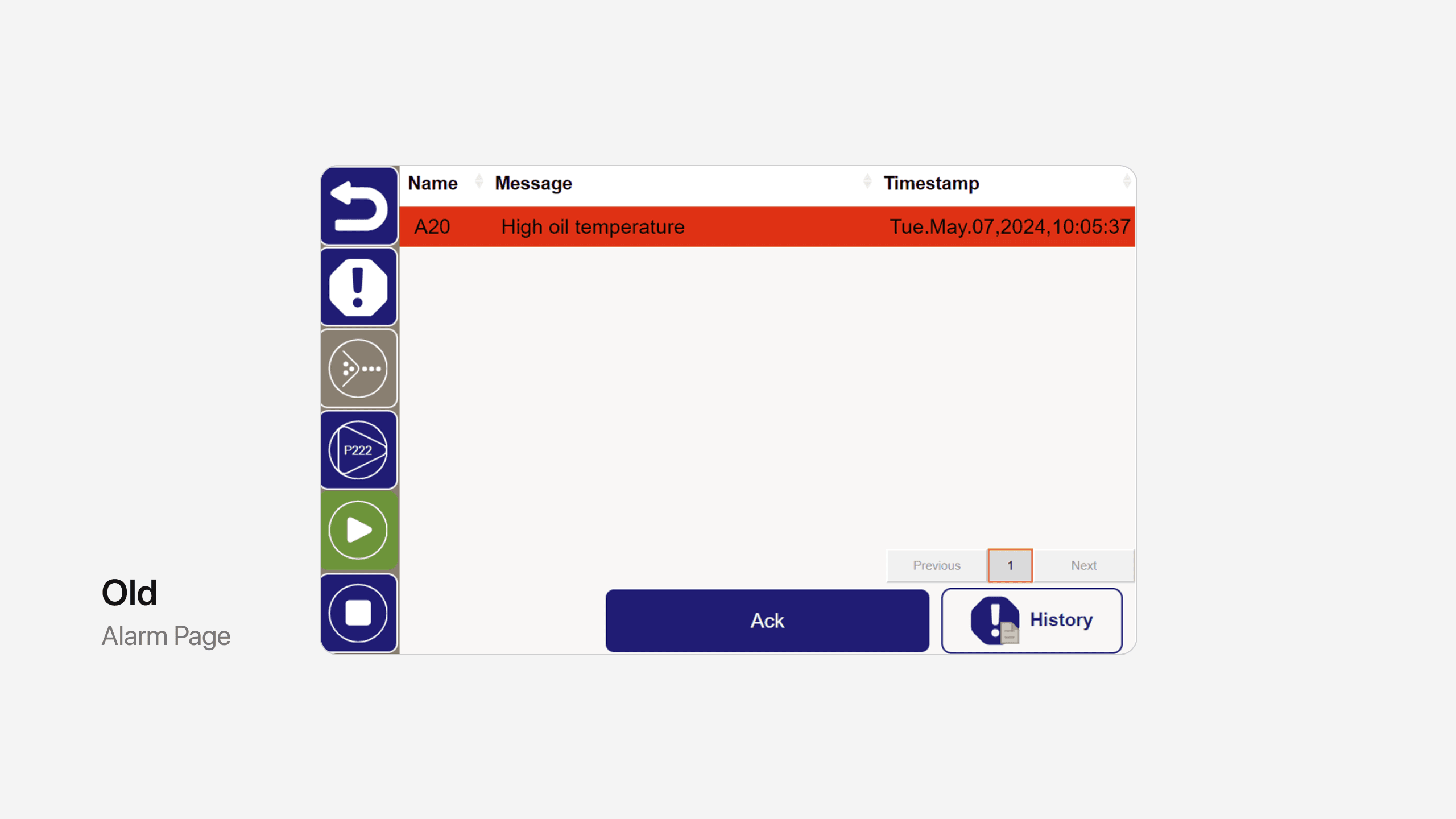
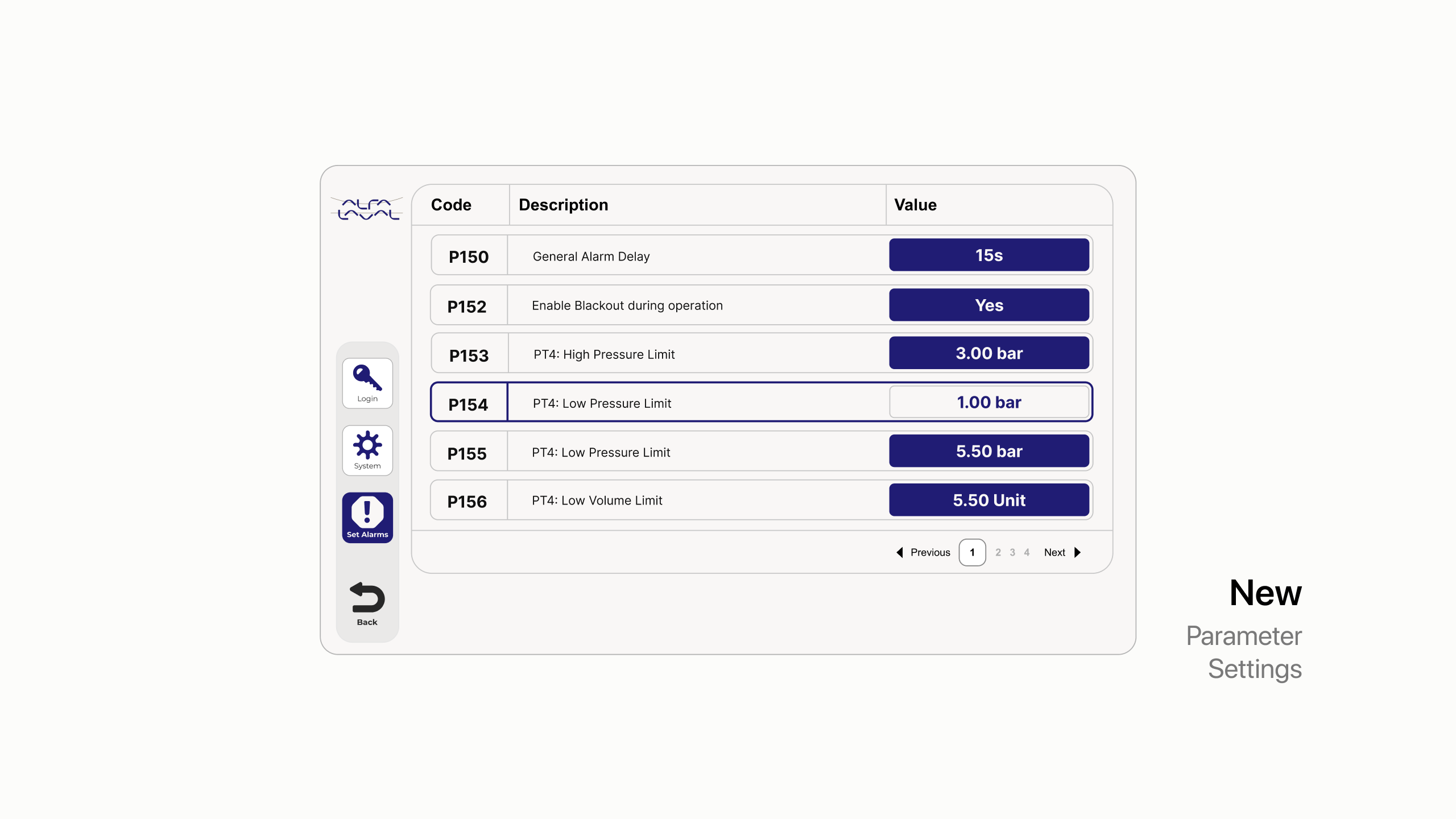
An audit of the existing interface revealed four recurring issues, all stemming from a system designed around technical requirements rather than operator usability and efficiency.
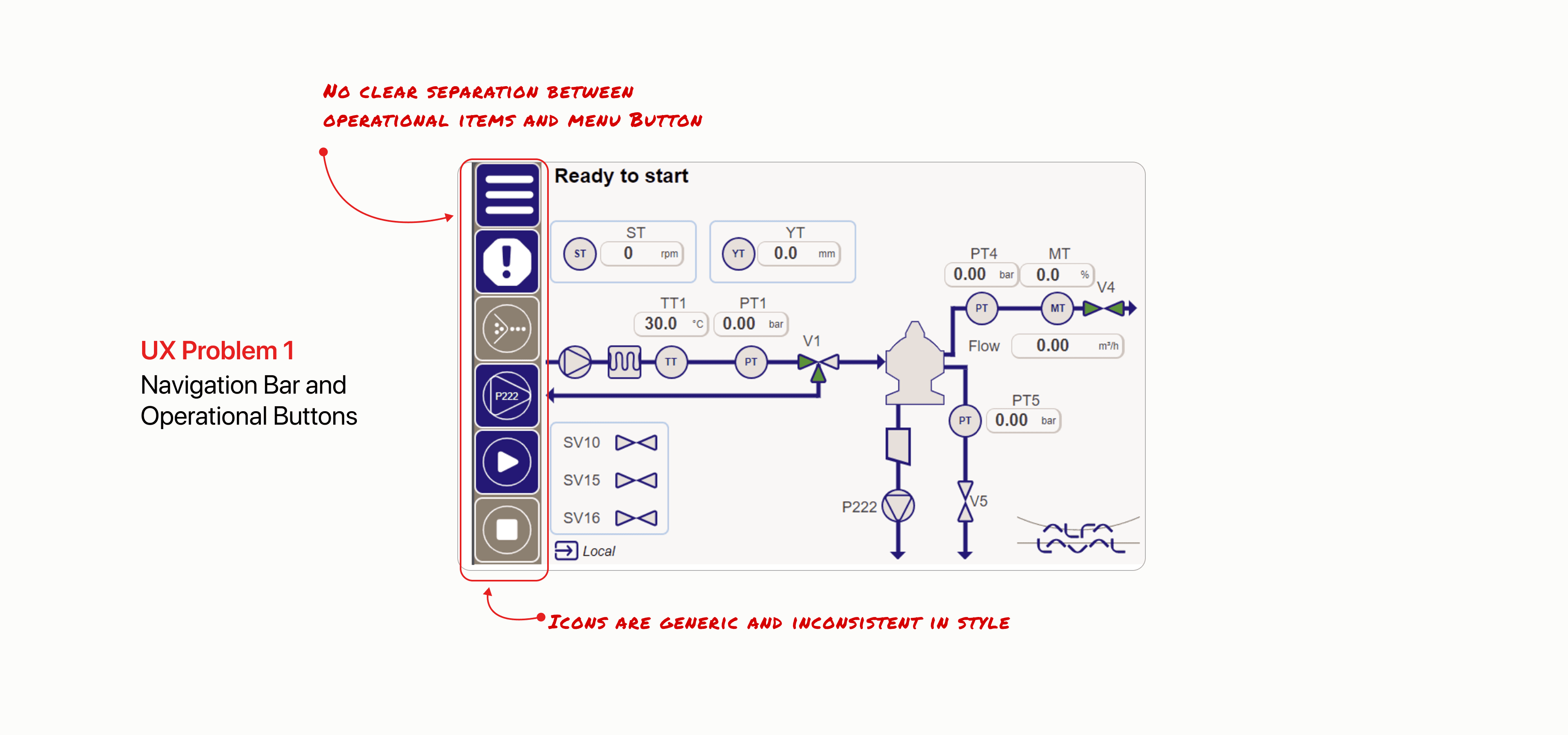
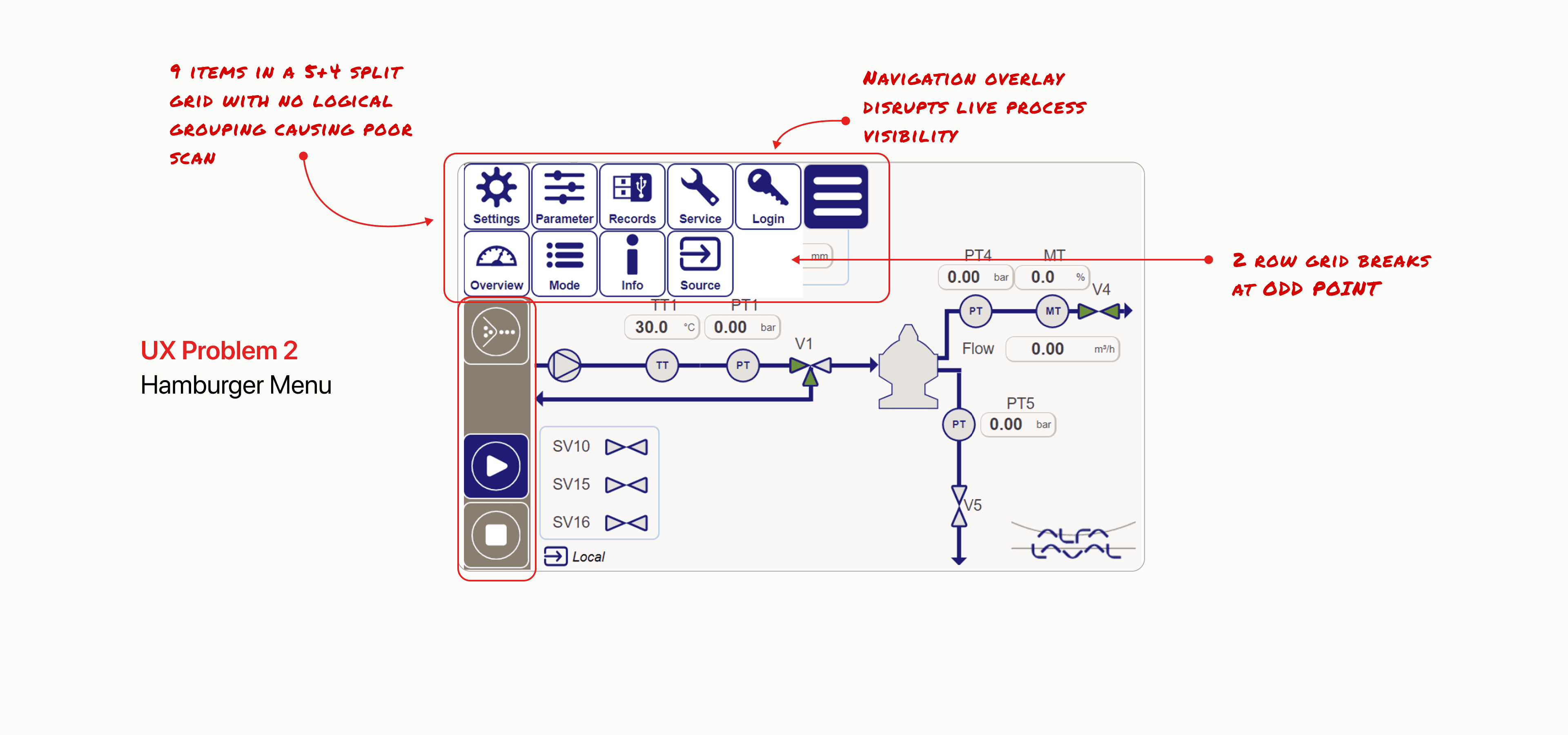
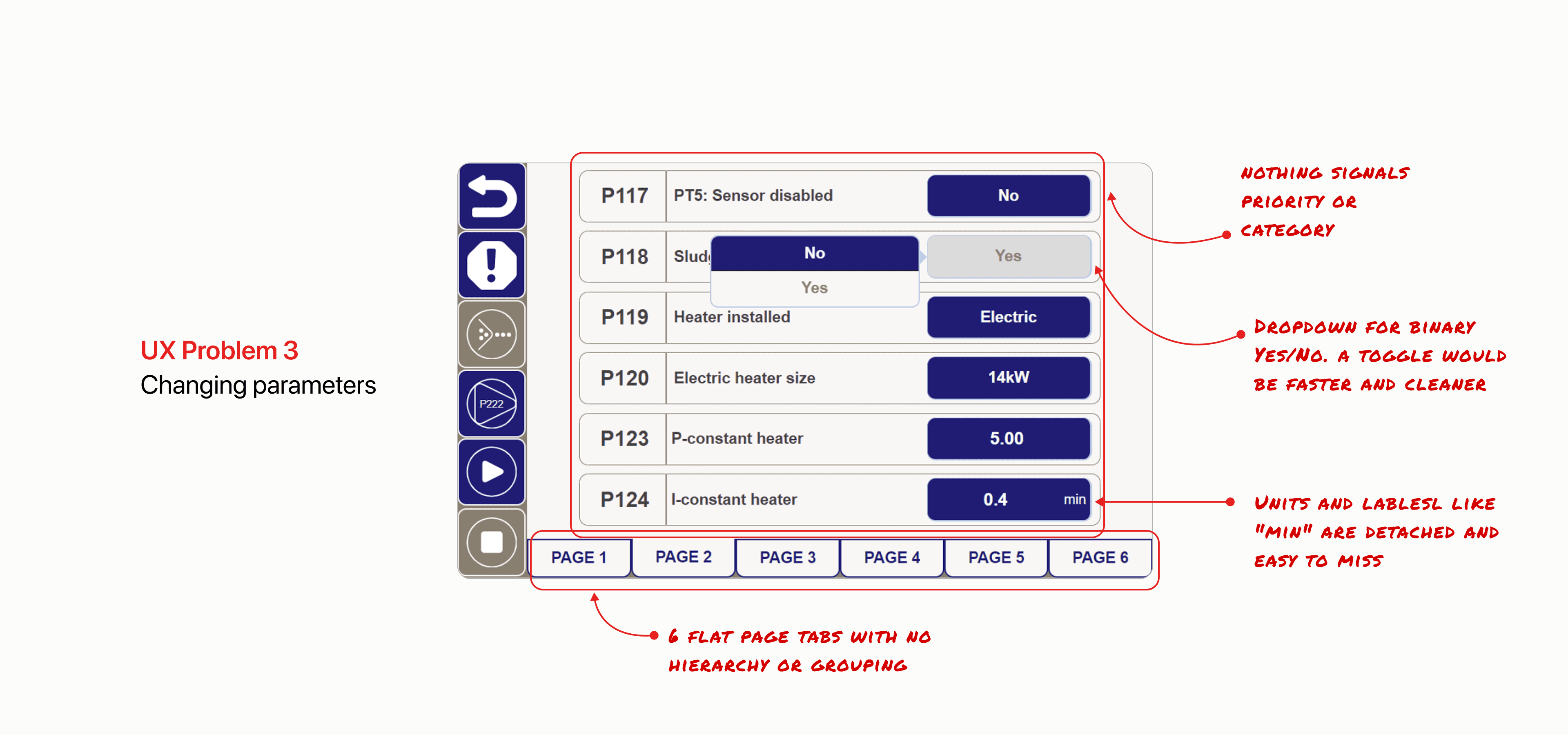
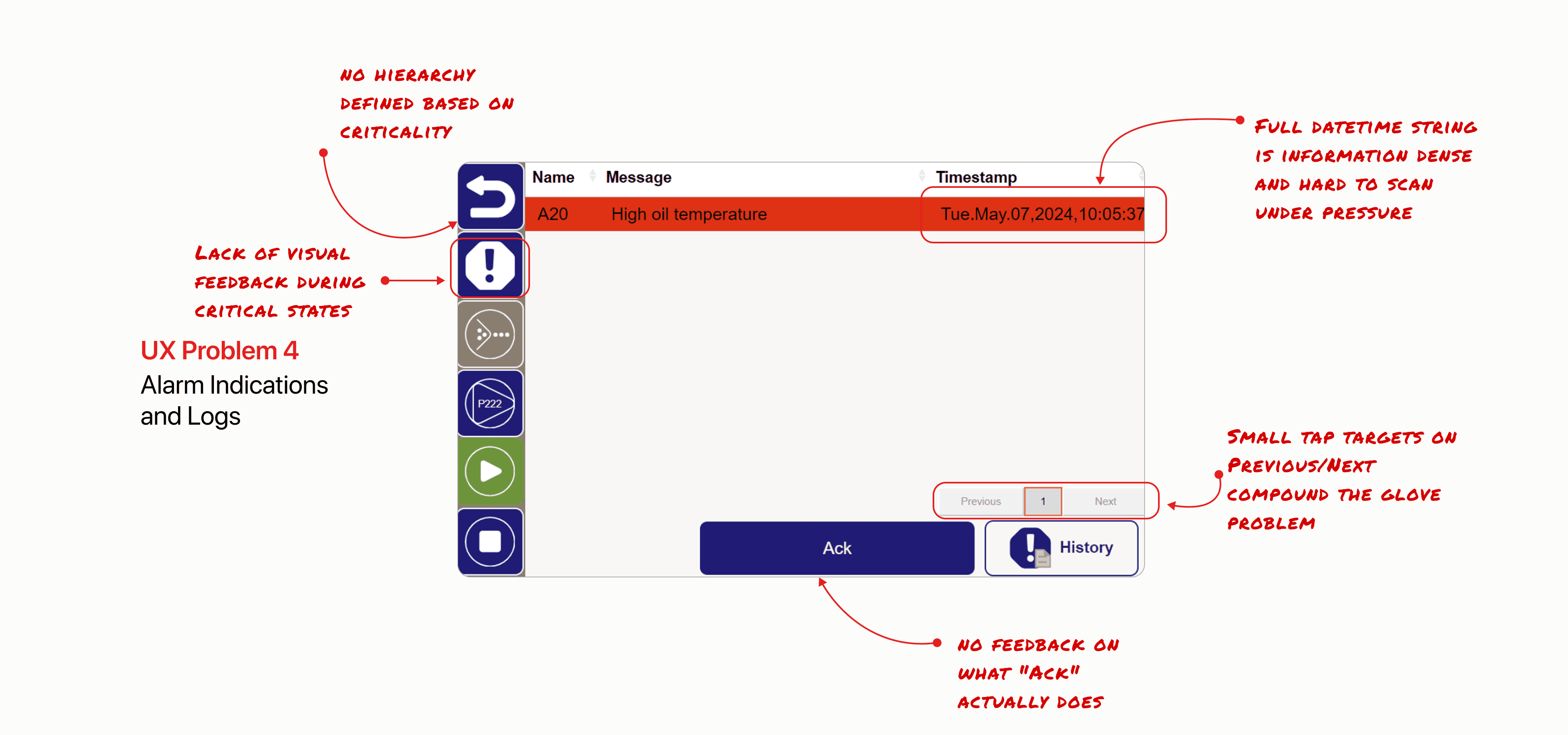
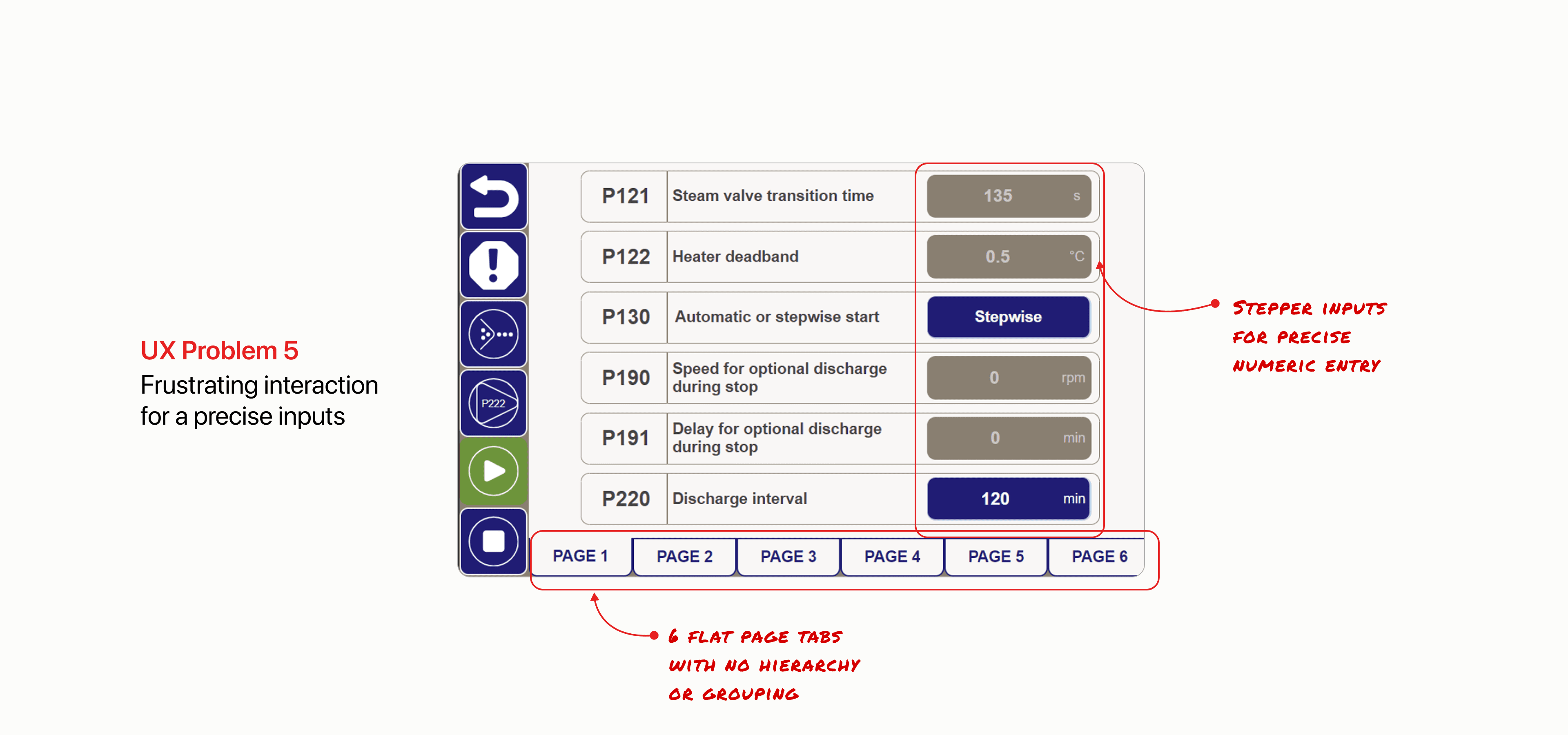
Wireframe Breakdown
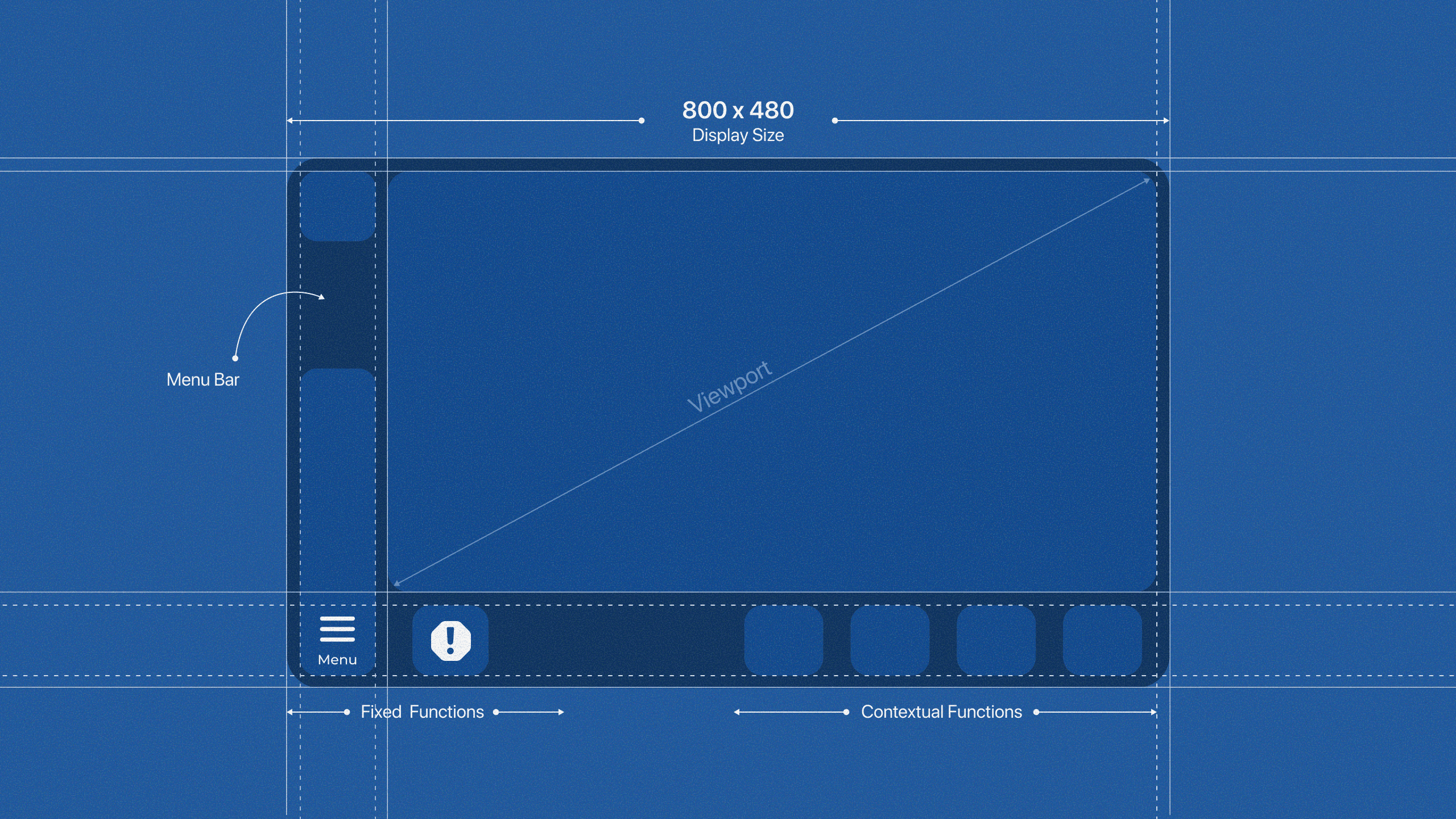
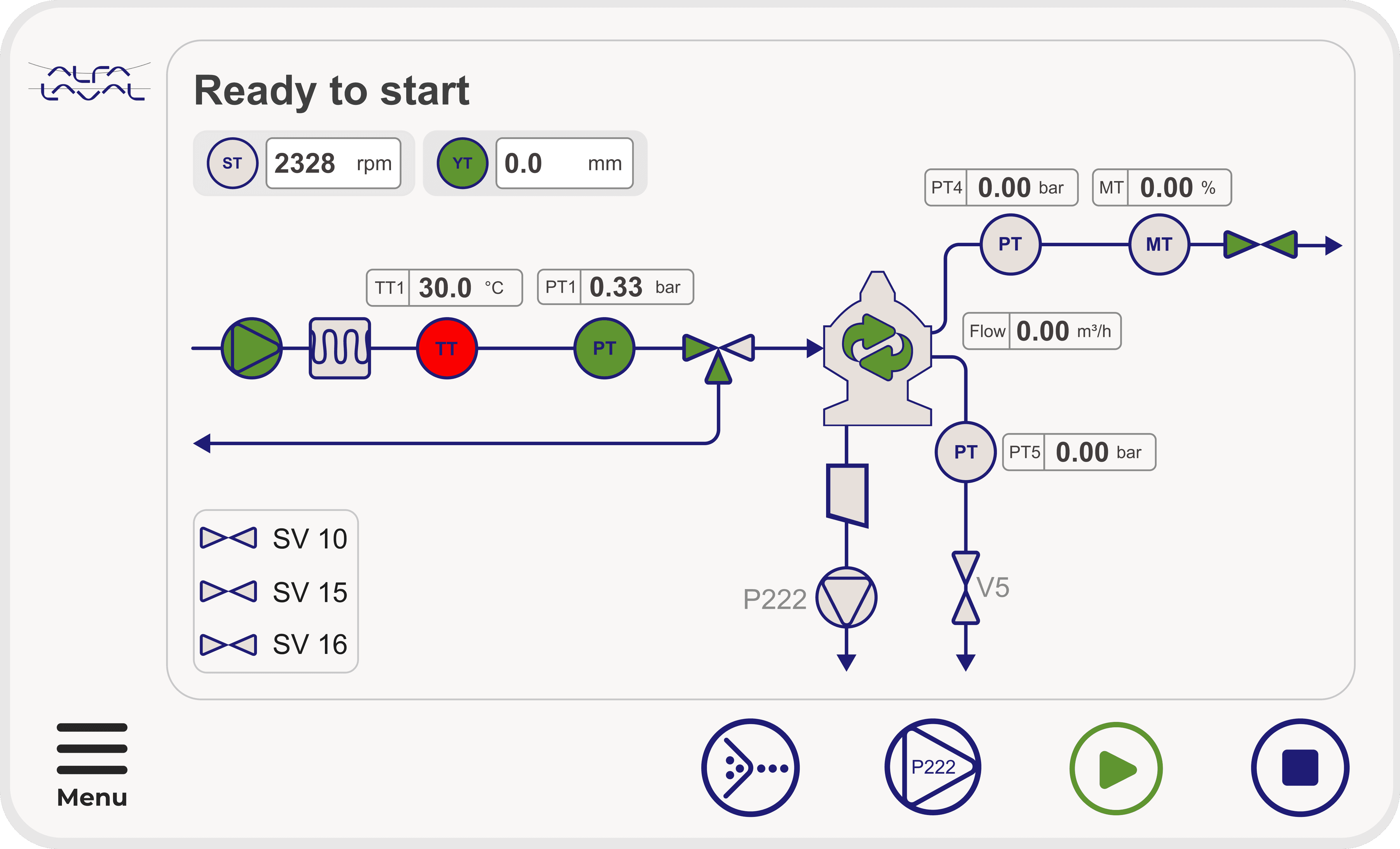
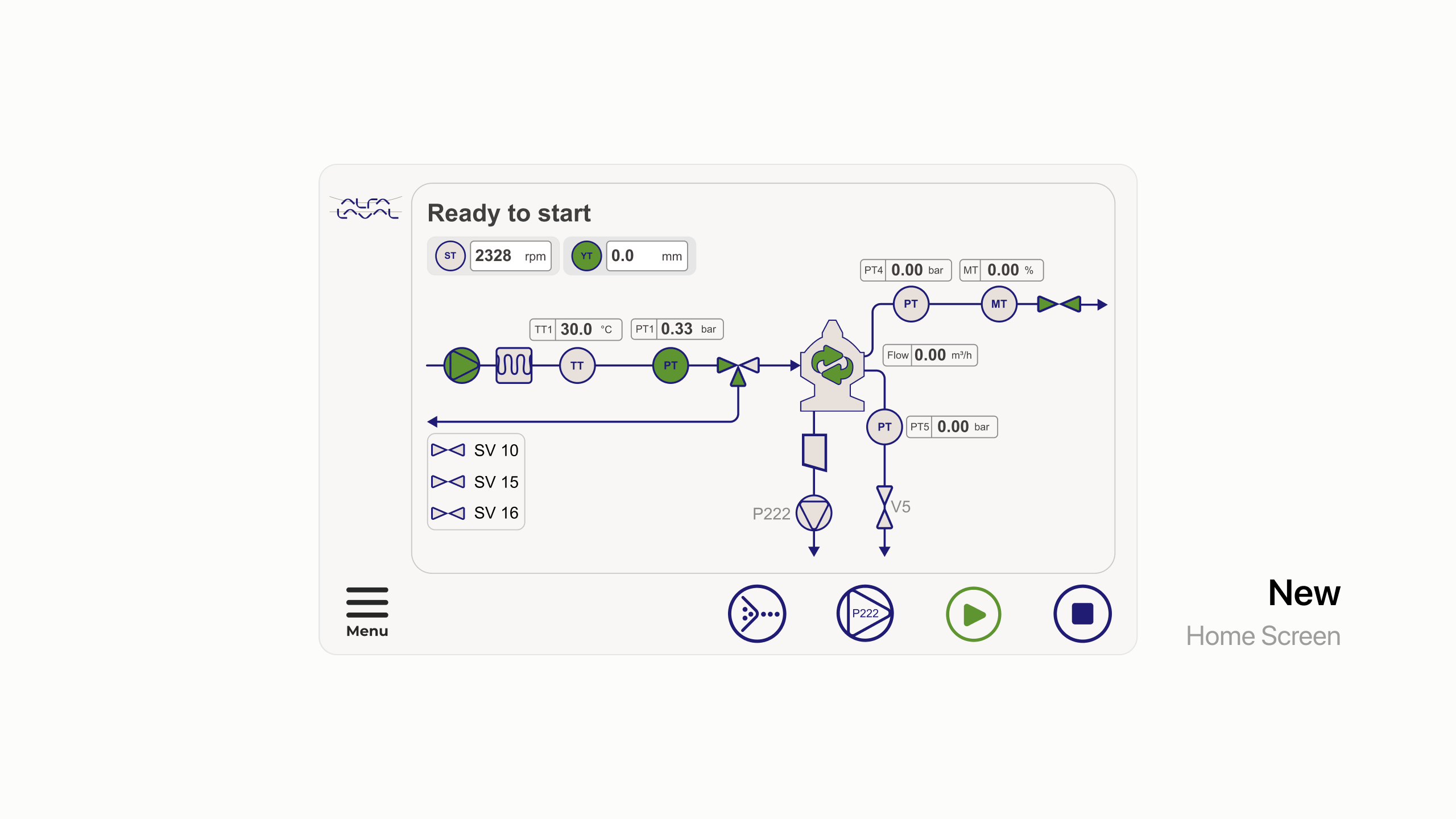
Redesigned for Usability and Control
Home Screen View
Alarm Page View
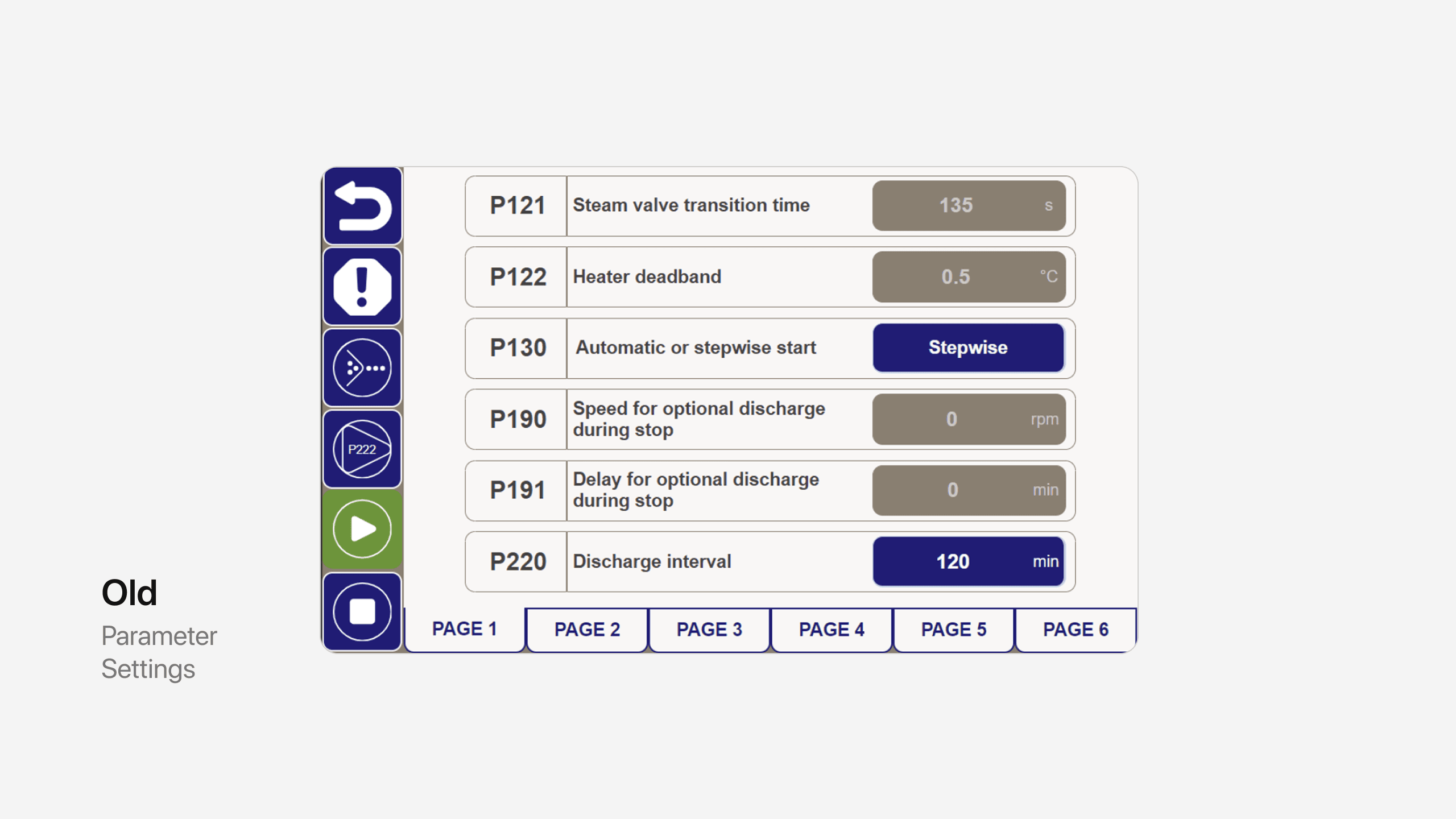
Parameter Settings View
Iconography and Color System for Clarity
Three Levels of Prototyping
Design is iterative. Continuous testing with operators throughout development ensured the solution stayed efficient and grounded in real use. In the final phase, the system was installed onsite giving operators hands-on time with the new interface before go live.
A
Figma Prototype for rapid brainstorming and iterations
B
Functional Prototype used for testing
C
MVP installed on site for training and further improvements